Photos, videos, audio, documents, spreadsheets and PDFs in one program. Edit PDF text in the same font, create subtitles with AI and remove photo backgrounds — all on your computer, with no size limits.
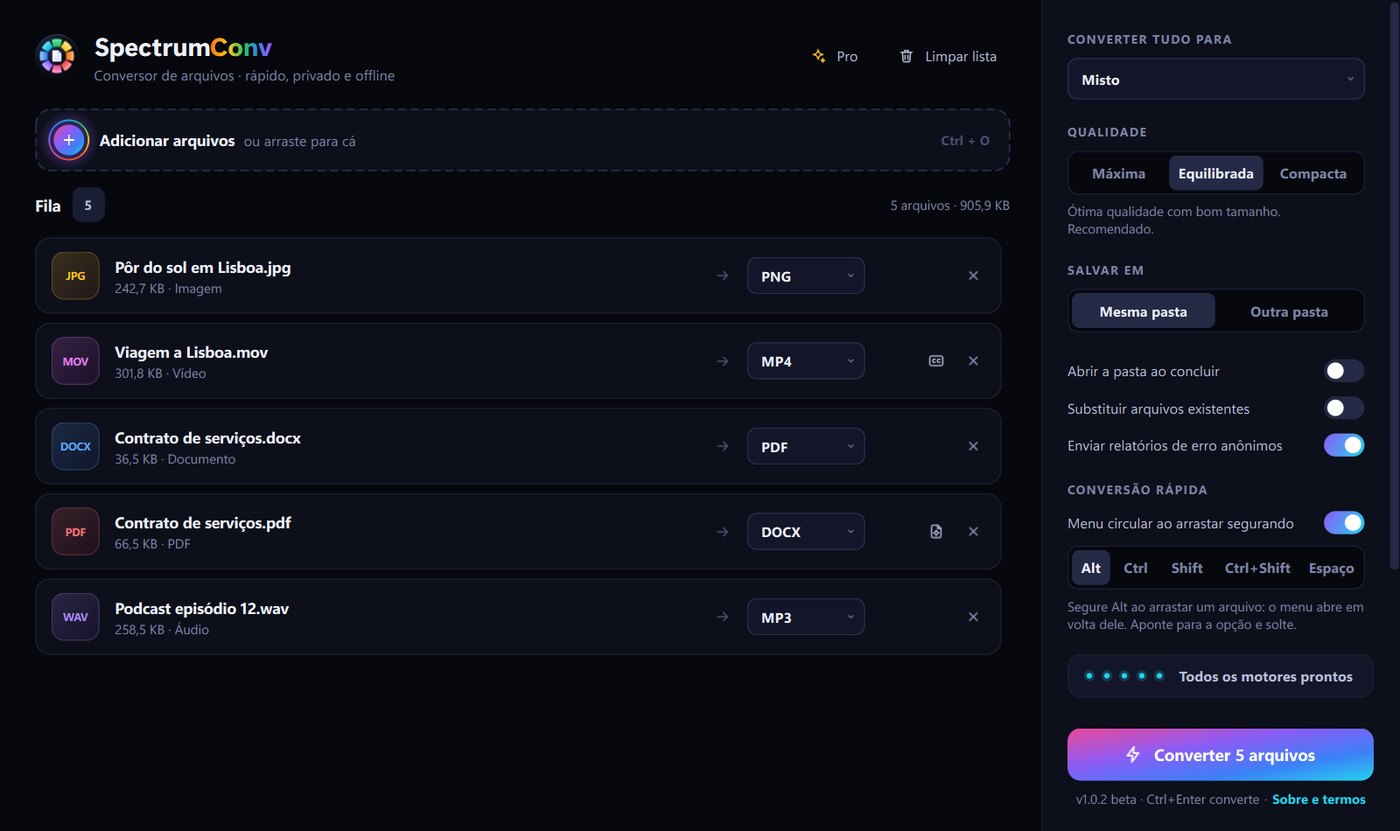
Use whichever is easiest — the result appears in the same folder as the original.
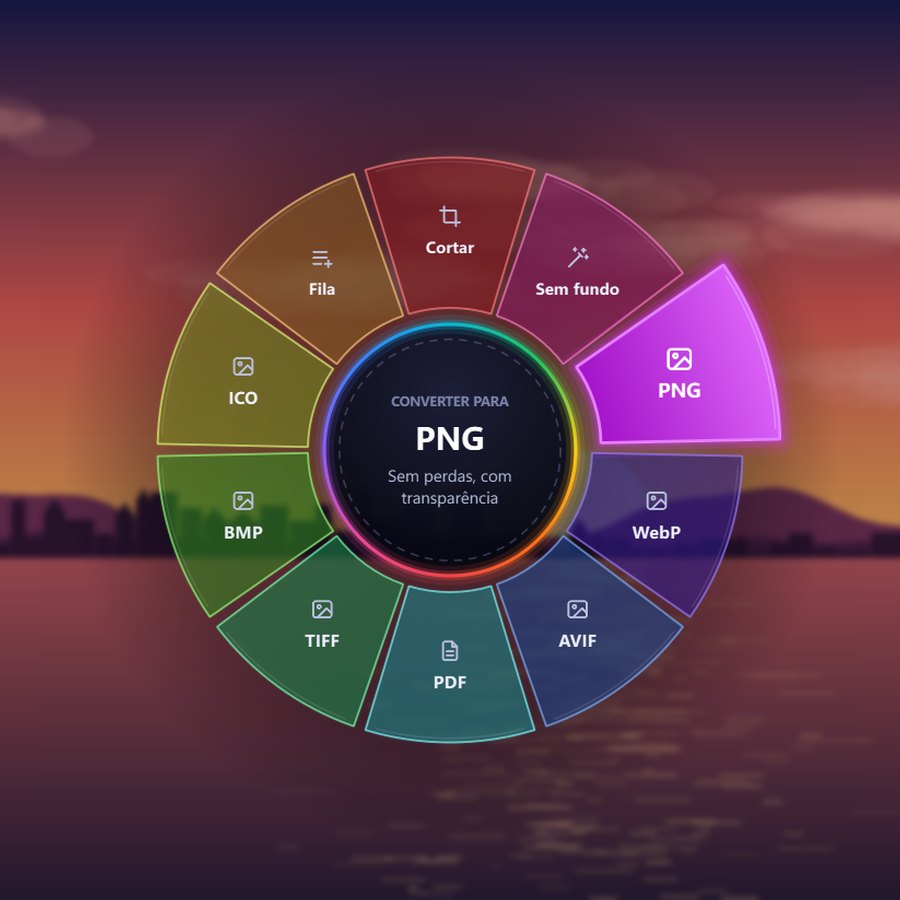
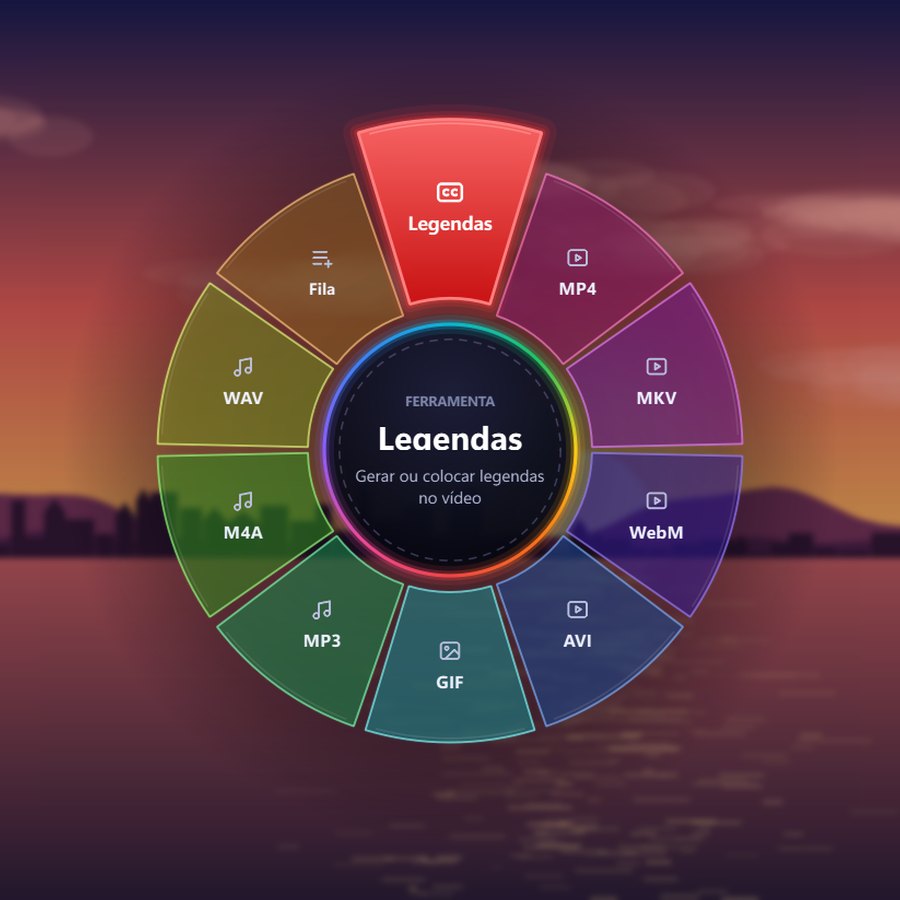
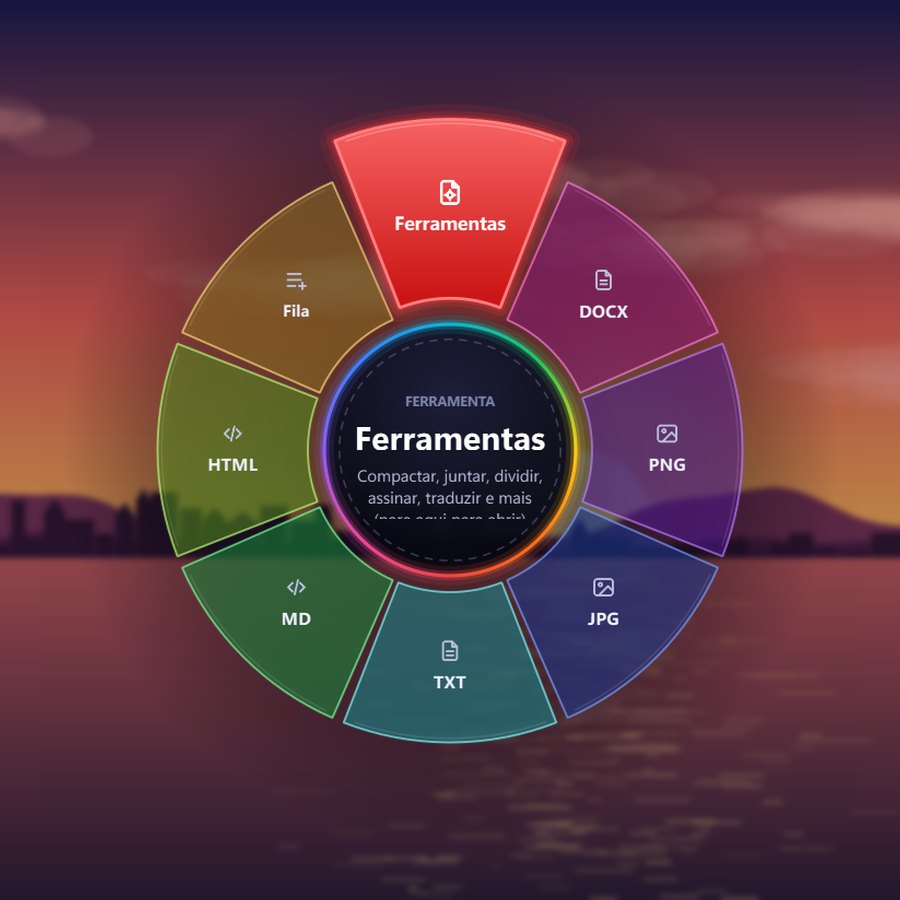
In any Windows folder, hold Alt (or Space, if you prefer) and drag the file: a radial menu opens around it. Point at the format and let go. Done.
Drop one or many files — even a whole folder — on the program window, pick the format and follow the queue.
Right-click the file, go to Send to › SpectrumConv and choose what to do (turn it on once in the program settings). Perfect for people who have never used a converter.
Everything here is unlocked during the 3-day free trial.
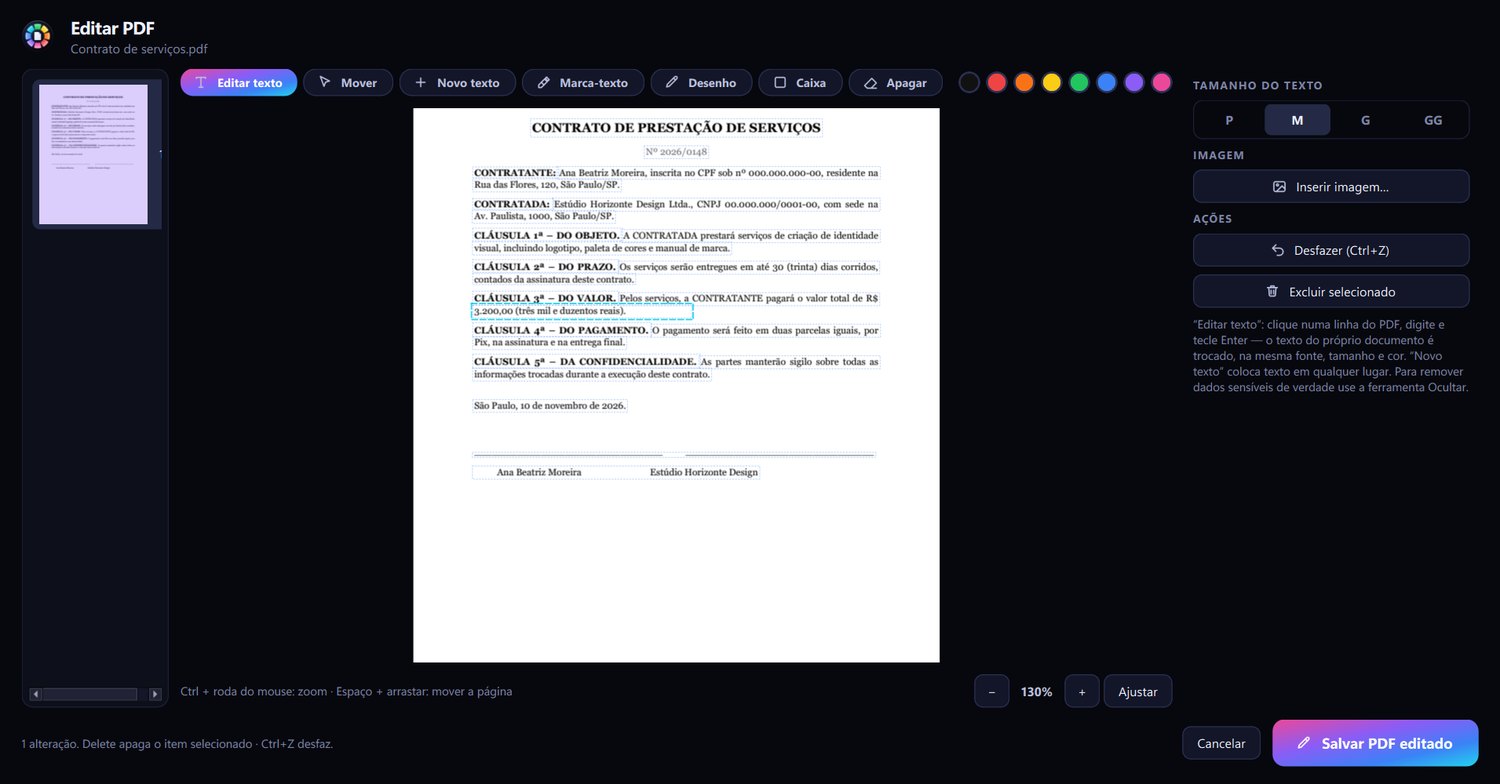
Click the line, type and press Enter. The new text goes in with the same font, size and color as the document — in the example, the contract amount was changed and nobody can tell the difference.
SpectrumConv listens to the video, writes the subtitles and burns them into the video — or adds a track you can turn on and off in the player. Works offline and can also translate into English.
Images made by the program itself. Outline and Dark background styles are also available.

Open AVIF, WEBP and HEIC photos (from iPhone) and turn them into JPG or PNG in a second. Plus: make a small or blurry picture sharp with AI, remove the background and turn logos into vectors.

Modern web and iPhone formats to JPG, PNG or PDF — and back.
Upscales 2× or 4× and cleans blur and JPEG blocks.
Logos and illustrations that scale without losing sharpness.
Product, profile or document photos with a transparent background in 1 click. Perfect for shops and catalogs.
ID numbers, amounts and names removed from the PDF — not just a black box on top: the text is gone from the file. Automatic search for e-mails and phone numbers.
Translates the document keeping the page layout. Works offline: the text never leaves your computer.
MKV, MOV, AVI and WEBM to MP4, short clips to GIF, extract the audio as MP3 and crop photos to the right ratio for social media.
Drag a folder with hundreds of photos or documents and convert them all in a single queue.
Turn PDFs into editable Word documents, tables included.
Reorder, rotate and number pages, make booklets ready to print and fold, and compare two versions of a contract.
PDF tables become real Excel cells (numbers that add up), and each page becomes a slide.
Stamp “CONFIDENTIAL” or your logo on every page, protect with AES-256 and create PDF/A for archiving.
The main ideas and keywords of a long PDF in a short document, made on your computer.
Several levels plus a black-and-white mode for scanned documents that makes the file tiny and keeps the text sharp.
Measured with the SpectrumConv compressor.
Report with charts — looks identical to the original.
3 scanned pages in black-and-white mode, sharp text.
Screenshots of a system, sharper than as JPEG.
How much a file shrinks depends on the file. PDFs that are already small shrink less.
Compare it with what you use today.
| SpectrumConv | Conversion websites | Traditional PDF programs | |
|---|---|---|---|
| Your files stay on your PC | ✓ | ✕ | it depends |
| No file size limits | ✓ | ✕ | ✓ |
| Photos, video, audio and documents in one place | ✓ | one site for each | ✕ PDF only |
| Edit PDF text in the same font | ✓ | ✕ | ✓ |
| AI subtitles and background removal | ✓ | paid separately | ✕ |
| Converts by dragging, without opening anything | ✓ | ✕ | ✕ |
| Works offline | ✓ | ✕ | ✓ |
| Full tutorial inside the program | ✓ | ✕ | sometimes |
| Price | from $3.25/month | free with limits | expensive subscriptions |
From the office to social media.
Contracts edited, signed and compressed to send by e-mail.
Assignments to PDF, booklets to print and translated texts.
Automatic subtitles, GIFs and videos in the right format.
Light product photos with no background, ready for the catalog.
Install it and use every Pro feature for 3 days, no card needed.
Zero risk. Bought it and didn't like it? Within 7 days, ask for a refund by e-mail to support and get your money back.
Prices in US dollars. You buy it inside the program, under “My account”. International card checkout is coming soon.
No. Every conversion and edit happens on your computer. The account is only used for the license.
No. Create a free account and use every Pro feature for 3 days. After that the program goes back to the free plan — nothing is charged unless you choose to.
Yes. Conversions, AI subtitles, background removal and translation run on your PC. The internet is only used to sign in and get updates.
The account is active on 1 computer at a time. Changed PCs? Just sign in on the new one: the program asks whether to use it there and signs the old one out by itself, instantly.
One-time payments last for the period you bought and don't renew by themselves. For automatic renewal, cancel under “My account › Manage subscription”.
Yes: within 7 days of purchase, by e-mail to suporte@spectrumconv.com.br.
Yes, automatically and without reinstalling. New versions arrive while the program is open.
Yes. SpectrumConv is available in English, Spanish and Portuguese — choose the language in the settings.
No. The first time, a tutorial opens with every tool, step by step, and it is always at hand from the “Tutorial” link in the program's footer.
Install it, create your free account and use everything for 3 days.
Get it from Microsoft StoreOfficial, safe install, with automatic updates through the Store.
Windows 10 and 11 · 64-bit
Windows 10 and 11 · 64-bit
SpectrumConv is new and made by an independent developer. Windows shows this warning for every program it doesn't know yet, safe ones included. The installer is the official one, downloaded straight from our server.
In Edge, before that: if the browser asks whether you trust the file, click the arrow next to “Delete” and choose “Keep anyway”. If you see “Report this app as safe”, click it too: it helps the warning go away for everyone.
When you open the installer, Windows may show a blue warning. That's normal for new programs: make these two clicks and the installation goes on.
In Edge, before that: if the browser asks whether you trust the file, click the arrow next to “Delete” and choose “Keep anyway”. If you see “Report this app as safe”, click it too: it helps the warning go away for everyone.
 SpectrumConv